Showing posts with label Harmattan. Show all posts

Saturday, March 31, 2012

Using camera API and getting raw image frame on N9 (Meego)

Past few weeks I was working on my pet project. I thought to add one feature in this project and it required me to use camera and access its individual raw frame.

Accessing camera on harmattan platform is supported by using QCamera API,  camera API is quite easy to use and I checked camera example application which works on n900.

After going through example application, I decided to use it in my application.

Creating camera and capturing  image or video using QCamera is quite simple and straight forward. I did  not faced any problem with it. But remember you need to request access from aegis framework for using camera, you can use following request for this purpose.
    
    <aegis>
        <request>
            <credential name="GRP::video" />
            <credential name="GRP::pulse-access" />
            <for path="absolute path to application" />
        </request>
    </aegis>


But when I decided to access raw image frame from camera, it did not proved so easy. N900 camera example does not work on N9 and need some changes.

I will try to list those changes and reason here.

To access individual camera frame from camera I decided to use MyVideoSurface class, you can find original source here.

But as I run the program on device, I noticed many camera related error in console and did not capture any valid camera image.

Error goes not like this.
CameraBin error: "Could not negotiate format" 
Reason for this is QCamera on N9, return image in UVVY format, so we need to add this image(QVideoFrame::Format_UYVY) support in MyVideoSurface class. But if you just add this support and dose not implement code to handle this format, you will face follwing error.
Failed to start video surface / CameraBin error: “Internal data flow error.” 
Reason it you can not use QVideoFrame offered in present method call, to create QImage directly. You need to convert image from UYVY to RGB and then use those RGB data to create QImage.

QGraphicsVideoItem class in n900, has a fast implementation of this conversion. You can find its implementation here.

Now you should have a valid QImage that you can use for further processing. Here is my code for MyVideoSurface class after making above changes. This class is tested on N950 device.

MyVideoSurface::MyVideoSurface( QObject* parent)
    : QAbstractVideoSurface(parent)
{
}

bool MyVideoSurface::start(const QVideoSurfaceFormat &format)
{
    mVideoFormat = format;
    //start only if format is UYVY, i dont handle other format now
    if( format.pixelFormat() == QVideoFrame::Format_UYVY ){
        QAbstractVideoSurface::start(format);
        return true;
    } else {
        return false;
    }
}

bool MyVideoSurface::present(const QVideoFrame &frame)
{
    mFrame = frame;

    if (surfaceFormat().pixelFormat() != mFrame.pixelFormat() ||
            surfaceFormat().frameSize() != mFrame.size()) {
        qDebug() << "stop()";
        stop();
        return false;
    } else {
        //this is necessary to get valid data from frame
        mFrame.map(QAbstractVideoBuffer::ReadOnly);

#ifdef  __ARM_NEON__

        QImage lastImage( mFrame.size(), QImage::Format_RGB16);
        const uchar *src = mFrame.bits();
        uchar *dst = lastImage.bits();
        const int srcLineStep = mFrame.bytesPerLine();
        const int dstLineStep = lastImage.bytesPerLine();
        const int h = mFrame.height();
        const int w = mFrame.width();

        for (int y=0; y < h; y++) {
            //this function you can find in qgraphicsvideoitem_maemo5.cpp,
            //link is mentioned above
            uyvy422_to_rgb16_line_neon(dst, src, w);
            src += srcLineStep;
            dst += dstLineStep;
        }

        mLastFrame = QPixmap::fromImage(lastImage);
        //emit signal, other can handle it and do necessary processing
        emit frameUpdated(mLastFrame);

#endif
        mFrame.unmap();

        return true;
    }
}

QList MyVideoSurface::supportedPixelFormats(
            QAbstractVideoBuffer::HandleType handleType) const
{
    if (handleType == QAbstractVideoBuffer::NoHandle) {
        //add support for UYVY format
        return QList<QVideoFrame::PixelFormat>() <<  QVideoFrame::Format_UYVY;
    } else {
        return QList<QVideoFrame::PixelFormat>();
    }
}

And following is MyCamera class, that use above MyVideoSurface class to display individual frame. I derived this class from QDeclarativeItem, so I can use it in QML as well.

MyCamera::MyCamera( QDeclarativeItem * parent ) :
    QDeclarativeItem(parent),mCamera(0)
{
    startCapture();
    mPixmap = new QGraphicsPixmapItem(this);
}

MyCamera::~MyCamera(){
    stopCapture();
}

void MyCamera::stopCapture(){
    if( mCamera )
        mCamera->stop();
}

void MyCamera::startCapture()
{
    mCamera = new QCamera(this);
    //set Still image mode for image capture or Video for capturing video
    //mCamera->setCaptureMode(QCamera::CaptureStillImage);
    mCamera->setCaptureMode(QCamera::CaptureVideo);

    //set my surface, to get individual frame from camera
    mSurface = new MyVideoSurface();
    mCamera->setViewfinder(mSurface );

    connect(mSurface,SIGNAL(frameUpdated(QPixmap)),this,SLOT(frameUpdated(QPixmap)));

    //set up video capture setting
    QVideoEncoderSettings videoSetting;
    //videoSetting.setQuality((QtMultimediaKit::EncodingQuality)0); //low
    videoSetting.setResolution(QSize(848, 480));

    // Media recoder to capture video,use record () to capture video
    QMediaRecorder* videoRecorder = new QMediaRecorder(mCamera);
    videoRecorder->setEncodingSettings(videoRecorder->audioSettings(),videoSetting);

    //  set up image capture setting
    //QImageEncoderSettings imageSetting;
    //imageSetting.setQuality((QtMultimediaKit::EncodingQuality)0); //low
    //imageSetting.setResolution(QSize(320, 240));

    // Image capture to capture Image,use capture() to capture image
    //m_stillImageCapture = new QCameraImageCapture(mCamera,this);
    //m_stillImageCapture->setEncodingSettings(imageSetting);

    // Start camera
    if (mCamera->state() == QCamera::ActiveState) {
        mCamera->stop();
    }
    mCamera->start();
}

void MyCamera::frameUpdated(const QPixmap& pixmap) {
    mPixmap->setPixmap(pixmap);
}

Friday, December 23, 2011

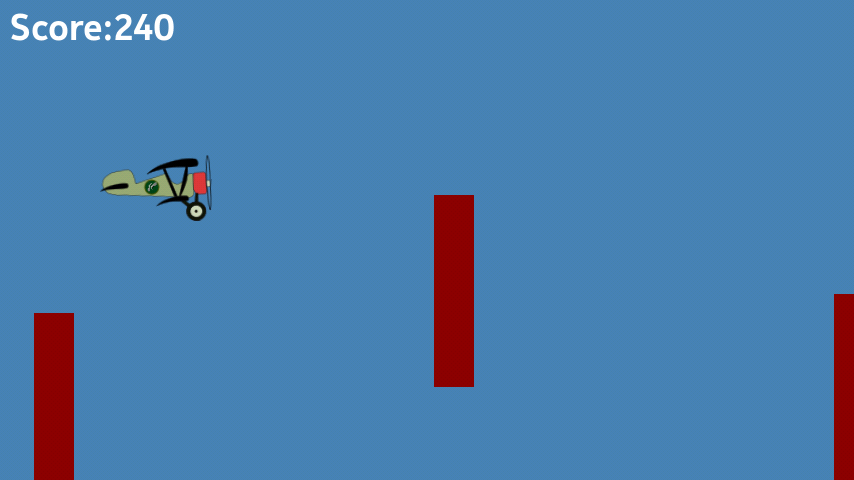
Crazy Flight a classic helicopter game now available on N9 Harmattan

I created this game - Crazy Flight, when I was on vacation in india, to please my nephew, so he can play on my phone and I can work on my computer.

Game is created using QML and C++ and backend and works on N9/N950 Harmattan plaform. Well programing did not take much time but creating graphics and polishing it took a while and around a week time I was able to publish this game on Ovi store for N9.

Game is vary simple to play,  you have to touch on screen to make plane go up and release touch to go down and avoid obstacle which may come.

You can download this game from Ovi store here. It free game with Ads.
Mobile link is here.


Here are few snapshot from game. If you have any comments I am glad to have those.


Saturday, December 17, 2011

Handling bluetooth headphone event with QmKeys in Harmattan

Currently I am working on upgrade of Audiobook reader application. As part of upgrade I am planing to support bluthooth headset support. In this upgrade I am planning to support only play/pause event.

Harmattan has QmSystem Qt library that provide events for various system activity. I used QmKeys API from QmSystem to capture and handle bluetooth headset event.

This is first time I am using QmSystem Library so I thought to put whatever I learned in blogpost in hope that it might help someone.

Following is my code to capture bluetooth headset event. It can be used to capture other system key event as well like Powekey, Volume key, Camera , keyboard slider and others.

First add qmsystem2 to CONFIG Qt project file.
CONFIG += qmsystem2
And also you need to include qmkeys.h.
#include <qmkeys.h> 
. Then need to create instace of QmKeys and connect its keyEvent SIGNAL to our SLOT.
mQmkeys = new MeeGo::QmKeys(this);

connect(mQmkeys, SIGNAL(keyEvent(MeeGo::QmKeys::Key, MeeGo::QmKeys::State)),
       this, SLOT(keyEvent(MeeGo::QmKeys::Key, MeeGo::QmKeys::State)));
Now our slot keyEvent will get called when ever there is key event. I am instrested only in play/pause event so following code list only those event.
void HeadsetKeyListener::keyEvent(MeeGo::QmKeys::Key key, 
    MeeGo::QmKeys::State state) {

    if( state != MeeGo::QmKeys::KeyDown ) {
        return;
    }

    switch( key) {
    case MeeGo::QmKeys::Play:
        emit playPauseClicked();
        break;
    case MeeGo::QmKeys::Pause:
        emit playPauseClicked();
        break;
    }
}
Well this is it, its vary simple to use.

Friday, November 4, 2011

Taking backup of Audiobook Reader on N9/N950

Recently I upgraded my N950 to PR 1.1 and realized that its camera is not working any longer.

After googling a bit I found that issue can be solved by flashing "Linux_OCF_39-5_RM680-RM680-OEM1.bin" image. But that means loosing all data, you can use backup and restore app but unfortunately my Audiobook Reader currently dose not support backup restore.  I need to  implement this feature in next release.

But if you need this support currently like me, then you can try following work around.

Audiobook reader setting file is store at "/home/user/.config/kunal/audiobookreader.conf". You can copy this file to your pc using ssh and then restore it at same place when you need.

I am not sure but same trick can be used for N900 as well.

Hope this helps.

Saturday, October 22, 2011

SSH Login problem after upgrading Harmattan N950 to PR 1.1

Recently PR 1.1 upgrade notification poped up on my N950 developer device and as normal reflex I started upgrade.

This time update was supported over wifi and upgrade gone well, with some low memory warning which we can safely ignore.

But after upgrade I found that I could no longer ssh to device with root account. 

Root login via ssh (password or public key) is now disabled with PR1.1. But If you still want to login using ssh then you can try following work around.

You need to unlock developer account and set password for developer account.

To do this, on your device's terminal type devel-su (to access device as root) and then type "rootme" password.
devel-su
Now you have root access to device. Now you need to set developer account password, using following command.
passwd developer
Enter new password for developer account.

Now you can ssh using developer account and new password.
ssh developer@192.168.2.15

now if you wish to have root access you can type devel-su command,
devel-su

Now you will have access to root account. Following is output from my terminal.

ssh developer@192.168.2.15
developer@192.168.2.15's password: 


BusyBox v1.19.0.git (MeeGo 3:1.19-8+0m6) built-in shell (ash)
Enter 'help' for a list of built-in commands.

/home/developer $ devel-su
Password: 


BusyBox v1.19.0.git (MeeGo 3:1.19-8+0m6) built-in shell (ash)
Enter 'help' for a list of built-in commands.

~ # 

Saturday, October 15, 2011

Audiobook Reader now available for N9 / N950 ( Harmattan ) on Nokia Store

I recently updated my Audiobook reader application for N9 Harmattan platform. It is also supported on N950. You can download it from Nokia Store from here.


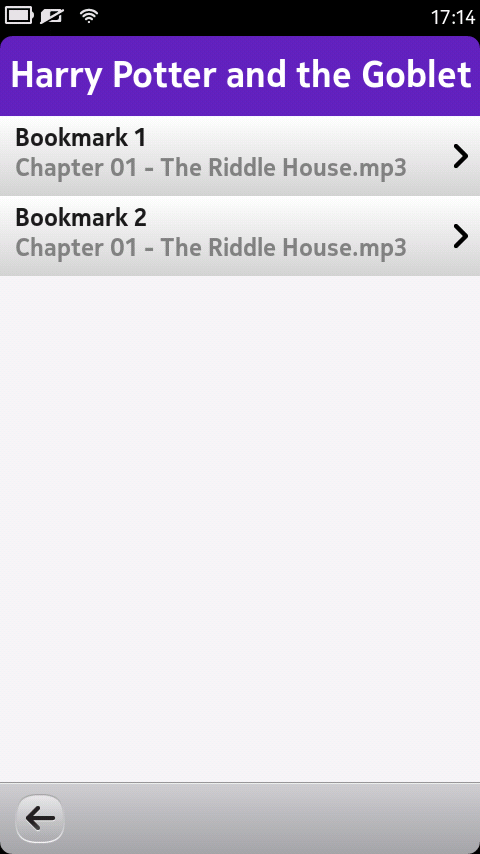
For those who dont know about this application, Audiobook reader is simple Audiobook player which lets you add audiobook with single large audio file or folder with audio files for each chapter. It automatically bookmark the last position of audiobook and resume playback from that position. It also allow to add custom bookmark and playback from certain chapter from Audiobook.

For N9, I completely reimplemented UI layer to give native look and feel. For this version I am also showing book cover image, downloaded from AWS to give more feel of book.


Same as N900 version, this version also support custom bookmark support and chapter selection support. Volume can be changed by using Hardware key.


Thursday, October 6, 2011

Enabling Booster support for QML applicaion in Harmattan

Recently I added support for Booster for My QML application. Its quite easy to add booster support for existing QML or new QML application.

I am wiring down my experience here in hope it will help someone.

The QML booster reduce application startup latency by creating instances of QApplication and QDeclarativeView the classes in MDeclarativeCache.

To use this class you will need to add following header.

#include <MDeclarativeCache>
And then you will need to use QApplication and QDeclarativeView class instance provided by MDeclarativeCache. Following code shows how that can be done.

QApplication* app = MDeclarativeCache::qApplication(argc, argv);
QDeclarativeView* view = MDeclarativeCache::qDeclarativeView();
To enable booster and link with it properly you need to add following line in to your Qt project (.pro) file.

# enable booster
CONFIG += qt-boostable qdeclarative-boostable
LIBS += -lmdeclarativecache

If you are planning to use applauncerd to launch application then you will need to use Q_DECL_EXPORT macro in front of main function from "QtCore/QtGlobal" header file as shown in following code.

#include ≶QtCore/QtGlobal>

Q_DECL_EXPORT int main( int argc, char* argv[] ) {
}
You will also need modify include path in your pro file in order to locate header file properly.

INCLUDEPATH += /usr/include/applauncherd
And finally in your desktop file, you need to use --type=d to launch application using booster.

Exec=/usr/bin/invoker --single-instance --type=d /usr/bin/appname

The Math Game now available for N9/N950 (Harmatta) on Ovi Store

Today The Math Game's Harmattan version passed the Ovi QA process and its now available on Ovi Store.

The Math Game is fun and simple math game for little once. I created  game in hope that it will help to increase kid's interest in Math.

Harmattan version is now available here.

You can find maemo version here.

Please find more information regarding this application here.

Saturday, September 24, 2011

Crazy Chickens game available on N9/N950 Harmattan

Recently I ported my Crazy Chickens game for Harmattan / Maemo6. Its now available on Ovi Store.

Find out more information about this game here. Following are few snaps of game from Harmattan version.


Sunday, September 4, 2011

Porting Qt app to Harmattan

As I received Nokia N9 Dev kit from Qt Ambassador program, I started working on porting my existing Maemo 5 application to Maemo 6 (Harmattan/Meego) platform.

It seems from documentation that preferred way to create Meego application is by using QML and com.meego components. In order to make my Qt and QML application to work correctly on meego I needed to make quite a few changes.

First thing I noticed is that, Qt Widget are available on harmattan but that just for backword compatiblity and dose not provide native look and feel for Harmattan platform. That mean Qt Widget library are kind of useless on harmattan. We need to use meego touch library or meego QML component.

Some of my application were QWidget based or some were Graphics View based. I ported most of application to use QML and If i can not port to use QML then I  used QDeclarativeItem to load that component to QML.

For some of my application I was locking orientation, using "WA_Maemo5PortraitOrientation" flag in view.setAttribute(Qt::WA_Maemo5PortraitOrientation, true); API call, But on Harmattan I need to use following code in QML page.
 Page{
        orientationLock: PageOrientation.LockPortrait
    }
To make application full screen, I need to disable statusbar and toolbar from PageStackWindow. I used following code

PageStackWindow {
    showStatusBar: false
    showToolBar: false
}
In one of my application I was using GraphicsView framework, I loaded graphics view to QML using QDeclarativeItem and QGraphicsProxyWidget. Visit following link for more info. 

But after GraphicsView loaded to QML, view was displaying some white area that initially I was not able to remove. After a white I realized it was frame for graphics view. I removed it by using setFrameStyle API.
setFrameStyle(QFrame::NoFrame);
Desktop file also needs to be changed to locate icon correctly and to launch only single instance of application.
[Desktop Entry]
Encoding=UTF-8
Version=0.1
Name=appname
GenericName=app name
Comment=some comment
Exec=/usr/bin/single-instance /usr/bin/appname
Terminal=false
Type=Application
Icon=/usr/share/icons/hicolor/64x64/apps/icon.png
Also in control file, to make your application user application and not system component, we need to add following flag.
Maemo-Flags: visible
I used following in my project file to transfer icon file to proper location.
unix  {
    #VARIABLES
    isEmpty(PREFIX) {
        PREFIX = /usr
    }
    BINDIR = $$PREFIX/bin
    DATADIR =$$PREFIX/share

    DEFINES += DATADIR=\\\"$$DATADIR\\\" PKGDATADIR=\\\"$$PKGDATADIR\\\"

    INSTALLS += target desktop icon64

    target.path =$$BINDIR

    desktop.path = $$DATADIR/applications
    desktop.files += ./image/$${TARGET}.desktop

    icon64.path = /usr/share/icons/hicolor/64x64/apps/
    icon64.files += ./image/$${TARGET}.png
}
I also faced segmentation fault while testing Webview with emulator, but on device it works fine.

That's all, most of my experience was smooth while porting and did not struggled much.