Saturday, November 24, 2012

Unboxing LG flatron E2742 LED monitor

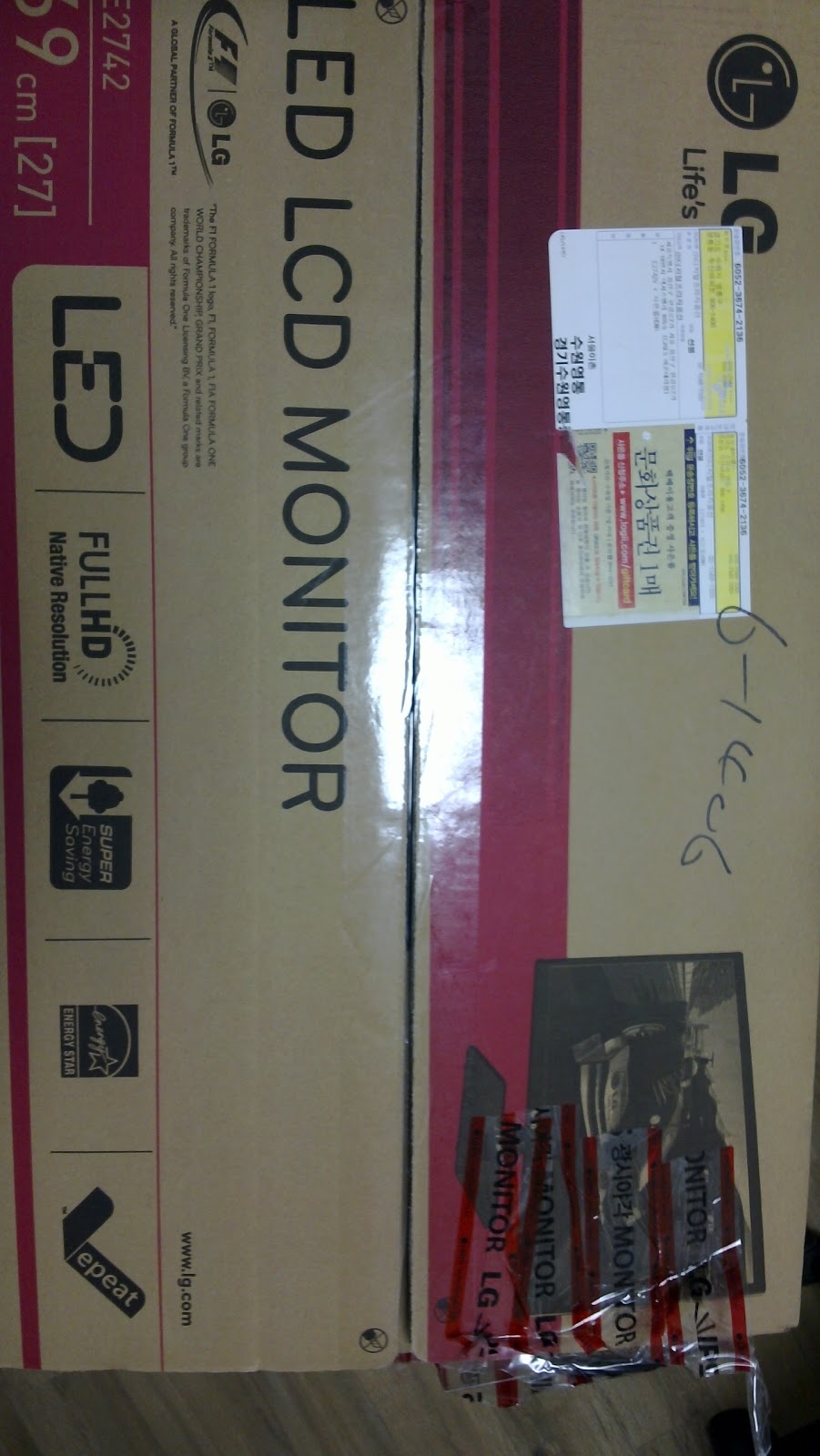
I just received LG Flatron E2742 27 inch LED monitor.

Following are few snapshot of it and my impression regarding the same.

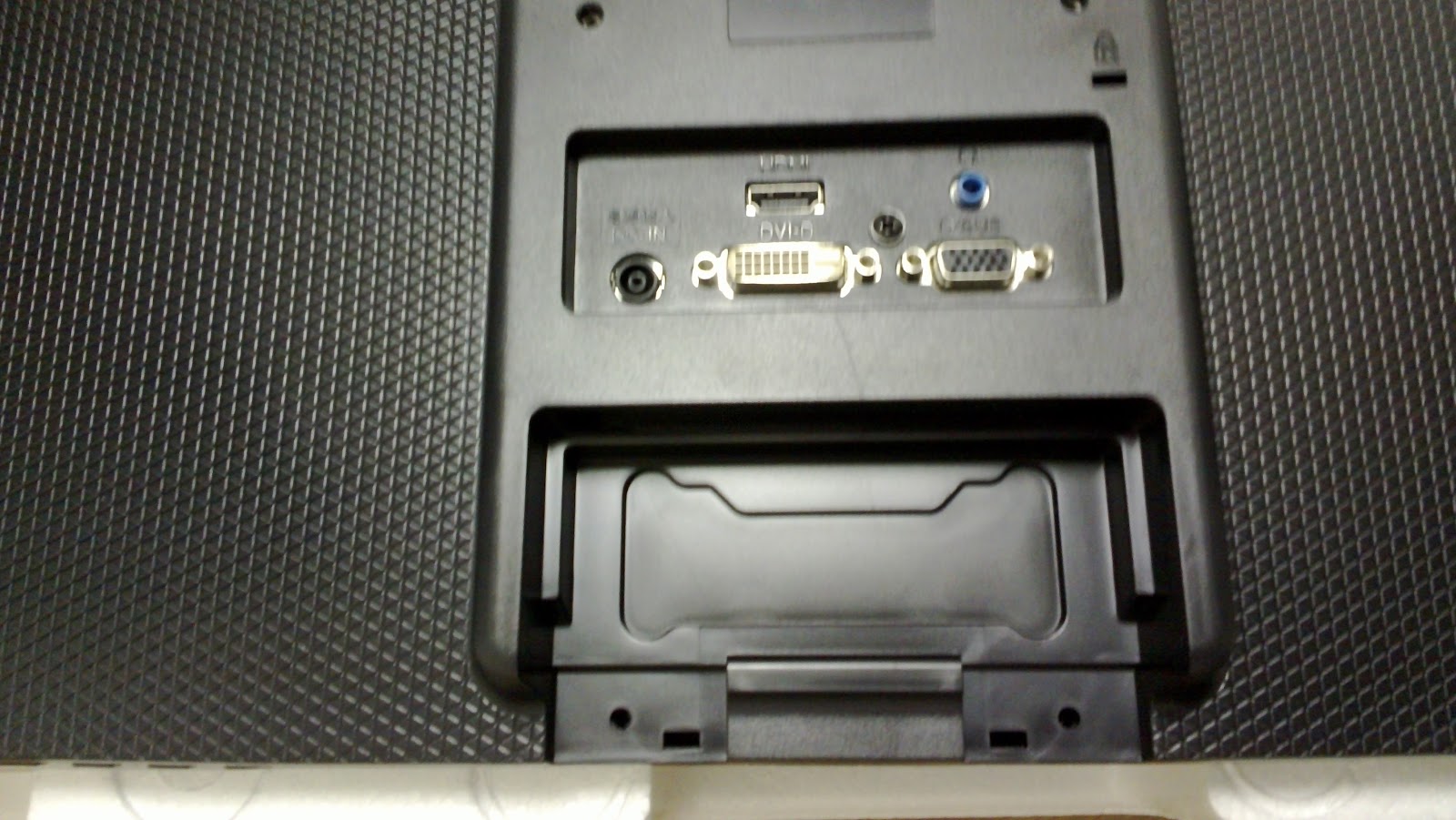
Monitor comes with DVI, VGA cable plus driver installation disc and stand for monitor  I also got HDMI cable from online vendor as gift. And yes monitor support all three input VGA, HDMI and DVI. There is also sound output connection. I never tried it looks like it will provide sound output form HDMI.

Assembling the stand and mounting the monitor on stand is quite easy and quite well explained in manual as well. However you will not need to refer it, process is quite intuitive.


Monitor vary slim and bezel is also very thin and its non glossy as well so eyes does not get much strain due to constant reflection. You can adjust it tilt angle but you can not adjust its height.


Once setup I mounted and connected with my laptop using VGA cable. Both my windows and ubuntu laptop detected required driver by itself. I did not required to do any setup my self.

Monitor maximum supported resolution is 1920 x 1080 and my both laptop are able to support his resolution.

On Ubuntu  at start up time or at log on time sometimes this monitor does not get started in 1920x1080 resolution  I have select this resolution manually from display setting.


Thursday, November 15, 2012

Creating a simple "Color Match" game for Windows Phone

I created a article for Forum Nokia. Article is How to guide for creating a vary simple game using Visual C# and XAML for Windows Phone.

I am still learning WP development so content is vary basic. I am also planning to publish this game vary soon on Windows phone store.

Please find the article here. Article shows How to create basic menu screen, How to achieve navigation between different screen, how to use XAML to create geometry, How to achieve opacity animation, How to change image dynamically and How to use isolated storage for persistence.

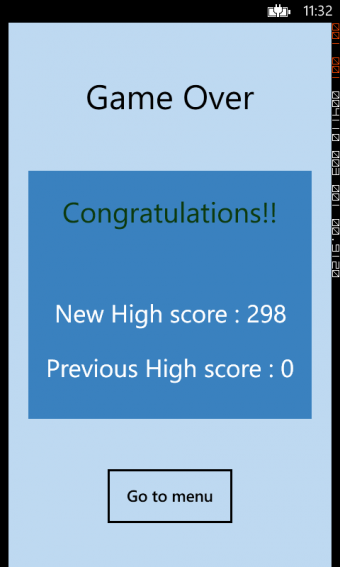
Followings are few snapshots from application.


Friday, November 9, 2012

Porting Qt app to BlackBerry 10 SDK

Recently BB10 device is getting in to news for its Qt framework support. I got curious about it and decided to port my Harmattan Qt app to BB10 device. First of all I am glad that finally there will be a real main stream device that will support Qt as development framework.

After installing BB10 NDK and going through few sample application I realized that I need to create BlackBerry Cascades C++ project using its QNX Momentics IDE event though I just wanted to create plain Qt application. So I created the Cascades C++ project and merged my existing Qt App's code to BB10 project.

I was aware that in order to run the application I need to change Harmattan component used in QML to standard QML component but I wanted to check debugging support provided by Momentics IDE to debug Qt cpp code and QML code. So I started application and I was staring at while screen with no error message in console of IDE and seems like there is no support to debug QML code or Java script code. I added few debug message to identify problem but still did not see any message in console. I still don't know how to see those debug log from Qt app in BB10. I think there must be some installation problem.

In addition to this debug log problem, Its emulator is not working in normal mode on my HP Elitebook 6930p laptop with Ubuntu as OS. I always have to run it in safe mode.  While running it in Safe mode, I faced another major problem. The emulator spill out of my laptop's 15 inch screen. Default emulator resolution is so big, I have to scroll a lot to see the whole screen of device. It seems that controller utility provided with emulator is not supposed to work when emulator is running in safe mode. This is so discouraging. However I decided continue my porting effort.

So no debug log and huge emulator that my 15 inch laptop can not contain, I decided to first try to run my application using Qt Desktop version and once application is working fine on desktop Qt SDK. I merged my code back to BB10 project.

I needed to make some minor change relate to path before I can see anything running. In BB10, Qt application locate images and QML file in assets folder not from Qt's Resource file. So I made necessary changes to use Image and QML file from Assets folder. Actually you can specify where your image files and QML files are present in bar-descriptor.xml but I am using default assets folder only.

Following is how you can show QML file located in assets folder using QDeclarativeView.

    QScopedPointer view(new QDeclarativeView());
    view->setRenderHints(QPainter::Antialiasing | QPainter::SmoothPixmapTransform);
    view->setResizeMode( QDeclarativeView::SizeRootObjectToView );
    view->setSource(QUrl("app/native/assets/main.qml"));
    view->showFullScreen();

So after this I was able to see my application in emulator. But my application was supported in landscape mode only so I need to make change to make it launch in landscape mode only. To make application support either Portrait or Landscape mode, you need to set aspectRatio tag in bar-descriptor.xml, and to disable auto orientation change you can set autoorients tag to false

Following is my entry into bar-descriptor.xml
    
<initialwindow>
    <aspectratio>landscape</aspectratio>
    <autoorients>false</autoorients>
    <systemchrome>none</systemchrome>
    <transparent>false</transparent>
</initialwindow>

So now my plain Qt Application is running fine in emulator, but my application keeps running even after its minimized. I realized that I need to capture BPS Event in order to detect application minimize and maximize event. I found good information here for this purpose.

Following is my code to detect application minimize event so I can pause my application.

static QAbstractEventDispatcher::EventFilter previousEventFilter = 0;

static bool bpsEventFilter(void *message)
{
    bps_event_t * const event = static_cast<bps_event_t>(message);

    if (event && bps_event_get_domain(event) == navigator_get_domain()) {
        const int id = bps_event_get_code(event);

		//unsigned int code = bps_event_get_code(event);
		switch ( id ) {

		case NAVIGATOR_WINDOW_INACTIVE:
		   qDebug() << "INFO: Window inactive";
		   break;

		case NAVIGATOR_WINDOW_ACTIVE:
		   qDebug() << "INFO: Window active";
		   break;

		case NAVIGATOR_WINDOW_STATE:
		   navigator_window_state_t state = navigator_event_get_window_state(event);
		   if (state == NAVIGATOR_WINDOW_FULLSCREEN) {
			   qDebug() << "INFO: Resume game";
		   } else {
			   qDebug() << "INFO: Pause game";
			   Utils::instance()->PauseGame();
		   }
		   break;
		}
    }

    if (previousEventFilter)
        return previousEventFilter(message);
    else
        return false;
}

This is how you add event handler in main function.
 previousEventFilter = QAbstractEventDispatcher::instance()->setEventFilter(bpsEventFilter);
So After all this my porting activity is almost complete. Now I need to learn how to submit application to BB10 store. Let's see how that goes.  So overall I feel BB10 provides nice Qt support for app development, emulator support needs to be improved though to be considered as useful ( at lest in my case).

Friday, October 12, 2012

Eight queen puzzle and solution

In past sometime I was working on project for which I required to create algorithm based on backtracking. For learning purpose I thought to create first a sample program using backtracking to create skeleton code.

I created a program to solve 8 queen puzzle as sample. You can find more information about 8 queen puzzle here.

Following is my code and below is main function which invoke the algorithm.
#include "board.h"

int main(int argc, char* argv[]) {

    Board board;
    board.print();
    board.solve();
    board.print();

    return 0;
}

Following is Board class which implements algorithm to solve the puzzle. Code is quite self descriptive so not adding much details.

#ifndef BOARD_H
#define BOARD_H

#include 

const int EMPTY = -99;

class Board{
public:
    Board() {
        for( int i = 0 ; i < 8 ; ++i ) {
            board[i] = EMPTY;
        }
    }

    void setOccupied( int row, int col) {        
        board[row] = col;
    }

    void setEmpty( int row) {
        board[row] = EMPTY;
    }

    bool canOccupy( int row, int column)
    {
        //check if row is occupied
        if( board[row] != EMPTY ) {
            return false;
        }

        //check diagonal and column
        for( int i=0; i < 8; ++i){
            int diff = column - board[i];
            int diff1 = row -i;
            if( qAbs(diff) == qAbs(diff1) || diff == 0 ){
                return false;
            }
        }
        return true;
    }

    void print() {
        printf("###################### \n");
        for( int row=0; row < 8 ; ++row) {
            int cell = board[row];
            for( int col=0; col < 8 ; ++col) {
                if( col == cell) {
                    printf(" X");
                } else {
                    printf(" -");
                }
            }
            printf("\n");
        }
        printf("###################### \n");
    }

    void solve() {
        solve(0);
    }

private:

    bool solve( int row ) {
        if( row == 8 ){
            print();
            return true;
        }

       for( int col=0; col < 8 ; ++col) {
            if( canOccupy(row,col) ){
                setOccupied(row,col);
                if( solve( row + 1) ) {
                    print();
                    return true;
                } else {
                    setEmpty(row);
                    print();
                }
            }
        }
       return false;
    }

    //each row\array element contains, index of column where queen is placed
    int board[8];
};

#endif // BOARD_H


Tuesday, October 9, 2012

Code for reversing the digits of a given integer

Recently while browsing and I found one interesting question to reverse the digit of given integer. I thought to solve the same.

Solution is quite simple then I initially thought. Following is my solution.
    
    int origNum = 12304;
    int reverseNum = 0;

    while( origNum != 0) {
        int lastDigit = origNum % 10;
        origNum /= 10;
        reverseNum = reverseNum * 10;
        reverseNum = reverseNum + lastDigit;
    }

    printf("reverse number %d", reverseNum);